Direct answer
An AI-searchable documentation portal is a documentation system with a trustworthy retrieval layer. It does not treat all text as one undifferentiated prompt. It preserves structure, permissions, versions, and source references so a user can move from an answer back to the page or document that supports it.
This is closely related to RAG for documentation sites, but the portal should still work as a browsable documentation system. For a developer-facing starting point, see the Parse API hub.
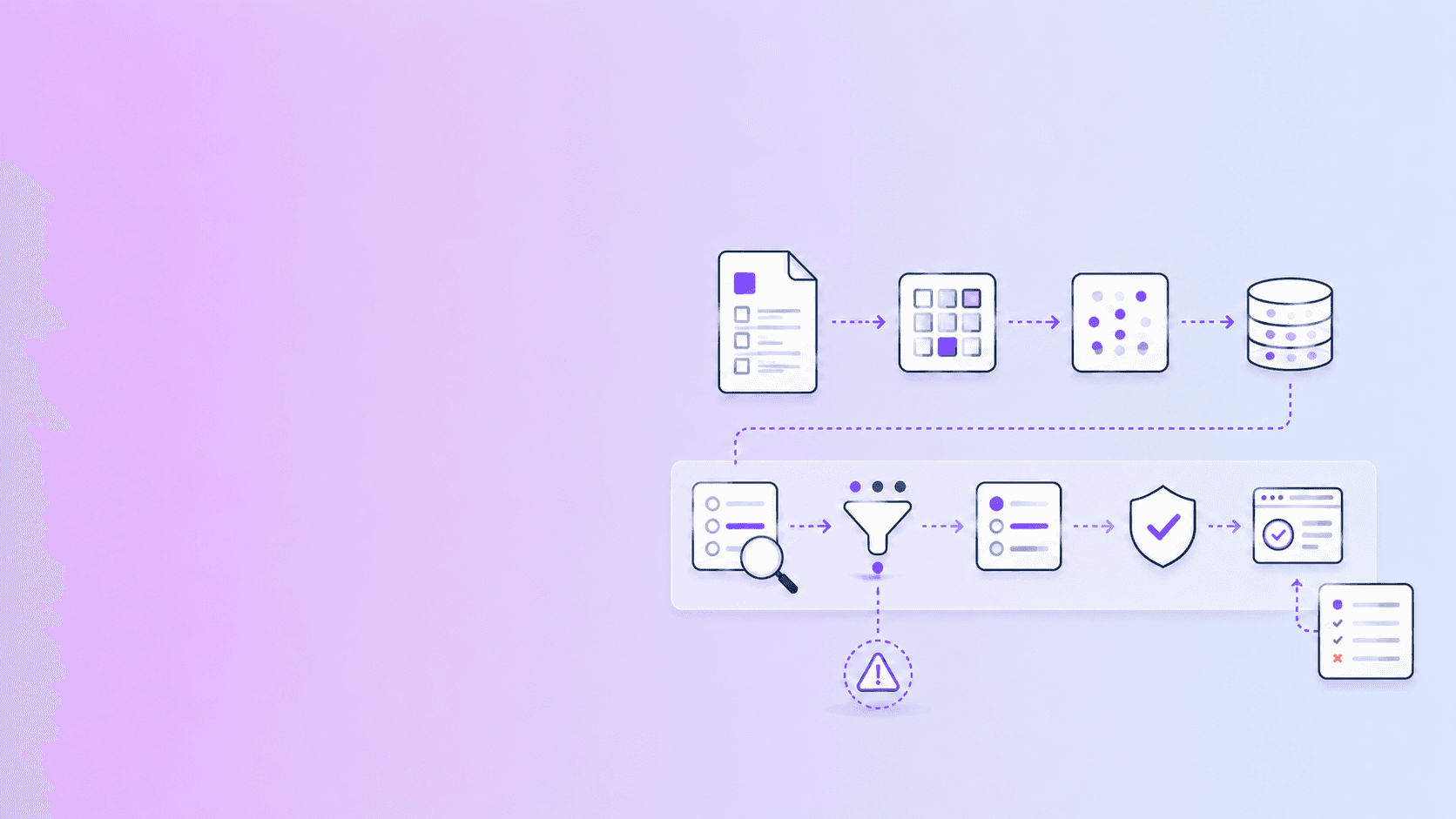
The core architecture is:
Source systems
  -> ingestion and validation
  -> structured parsing
  -> chunking and metadata
  -> keyword + vector indexes
  -> retrieval and reranking
  -> answer with source references
The most important design decision is to keep retrieval separate from answer generation. Search finds candidate evidence. A model may synthesize it, but the portal should make the evidence visible and keep unsupported claims out of the final answer.
1. Define the portal’s users and permissions
Start with the questions users need to answer, not the model you want to deploy.
Typical groups include:
- customers looking for product usage guidance
- developers looking for API parameters and examples
- support teams troubleshooting incidents
- employees searching private procedures
- reviewers inspecting policies or contracts
These groups do not necessarily share the same corpus. A customer-facing portal should never retrieve internal incident notes simply because the embedding index can see them.
Represent access as metadata and enforce it at retrieval time. Filtering after generation is too late.
2. Build a source inventory
Create a record for every source:
| Field | Why it matters |
|---|---|
| Source ID | Stable identity across re-syncs |
| Title and URL | Human navigation and citations |
| Version | Prevents old instructions from competing with current ones |
| Owner | Gives someone responsibility for updates |
| Audience | Helps ranking and presentation |
| Visibility | Enforces access boundaries |
| Updated time | Supports freshness checks |
| Fingerprint | Detects whether content really changed |
PDFs, Markdown files, HTML pages, tickets, and API specifications should be normalized into a common representation without erasing their original type.
3. Parse structure before indexing
Indexing a page as a single block makes it difficult to retrieve the exact answer. Preserve:
- headings and heading hierarchy
- paragraphs and list items
- code blocks
- tables and their column names
- links and anchors
- page numbers for PDFs
- warnings from OCR or layout recovery
- document and section identifiers
For PDF input, a source-aware parser can return JSON, Markdown, or HTML alongside page context and coordinates. That gives the portal more than a flat text blob to work with.
4. Design chunks around meaning
Fixed-size chunks are easy to implement but often split the useful unit of information. Prefer semantic boundaries such as:
- one API endpoint and its parameters
- one troubleshooting cause and resolution
- one policy section and its exceptions
- one table with its heading and notes
- one procedure with its prerequisites and steps
Keep a small amount of parent context with each chunk. A paragraph called “Retention” is more useful when the chunk also carries the document title and section path.
Avoid putting unrelated sections into one chunk just to reach a target token count. Bigger is not automatically better retrieval.
5. Use hybrid retrieval
Keyword search is excellent for exact strings:
401 Unauthorizedrotate_api_key- product names
- version numbers
- error codes
Vector search is better when the user paraphrases an idea. Hybrid retrieval combines both strengths. A typical request can:
- retrieve keyword matches;
- retrieve semantic matches;
- merge and deduplicate candidates;
- rerank using query, title, section, version, and permissions;
- return a small evidence set.
Do not let the model see hundreds of weak candidates. A smaller set of high-quality, permission-checked passages is easier to inspect and less likely to create a blended answer from unrelated versions.
6. Make citations part of the data model
Every retrieved item should carry enough information to navigate back to its source:
{
  "source_id": "docs-api-v3",
  "title": "Authentication",
  "url": "/docs/authentication#api-keys",
  "section": "API keys",
  "version": "v3",
  "page": null,
  "text": "...",
  "retrieval_score": 0.91
}
For PDFs, add page and region information when available. For web pages, preserve stable anchors. For generated answers, distinguish between a retrieval citation and a verified claim. A link proves where text came from; it does not automatically prove that a synthesis is supported.
7. Treat freshness as a feature
A portal should make stale content visible. Use source fingerprints, update timestamps, version labels, and scheduled checks. When a release changes an API parameter, trigger a search for pages that mention the old parameter.
Do not silently overwrite a reviewed page with an unreviewed AI draft. Create a change request or draft state and show what changed.
8. Evaluate before launch
Build a question set from real searches and support tickets. Include:
- direct fact questions
- exact error-code queries
- multi-step procedures
- ambiguous questions
- questions with no answer in the corpus
- questions that should be denied because of permissions
- questions where two versions conflict
Measure retrieval recall, citation correctness, answer completeness, refusal behavior, and latency. Also inspect the failed cases manually. A good answer with the wrong citation is still a trust failure.
9. Keep the portal useful without chat
AI search should augment normal documentation, not replace it. Users still need:
- navigation and breadcrumbs
- canonical pages
- version selectors
- copyable code examples
- downloadable references
- visible source links
- a way to report stale or incorrect content
The portal should work when a user wants to browse, compare, or verify instead of asking a conversational question.
Conclusion
Build the portal as a source system with a retrieval interface, not as a chatbot with a document upload. Validate and parse the sources, preserve structure and permissions, combine keyword and semantic search, and return evidence that a user can inspect. That is what makes documentation searchable by AI without making it opaque to people.
Frequently Asked Questions
Free Tool
PDF to JSON
Turn PDFs into structured, source-aware data for RAG, review, and automation.
Try PDF to JSONDocuShell Team
The DocuShell editorial group writes and maintains guides for everyday PDF workflows, with updates made when tool behavior or documented limits change. See our editorial standards for the process behind each article.
Focus: Document ingestion, retrieval workflows, structured extraction, and evidence-aware search
Questions or feedback? Get in touch.