Direct answer
RAG for documentation sites is a pipeline that retrieves relevant documentation before a language model writes an answer. A reliable implementation keeps the source page, section, version, and access policy attached to every retrieved passage.
This architecture extends the AI-searchable documentation portal guide. If source documents include PDFs, use structured extraction before chunking and indexing.
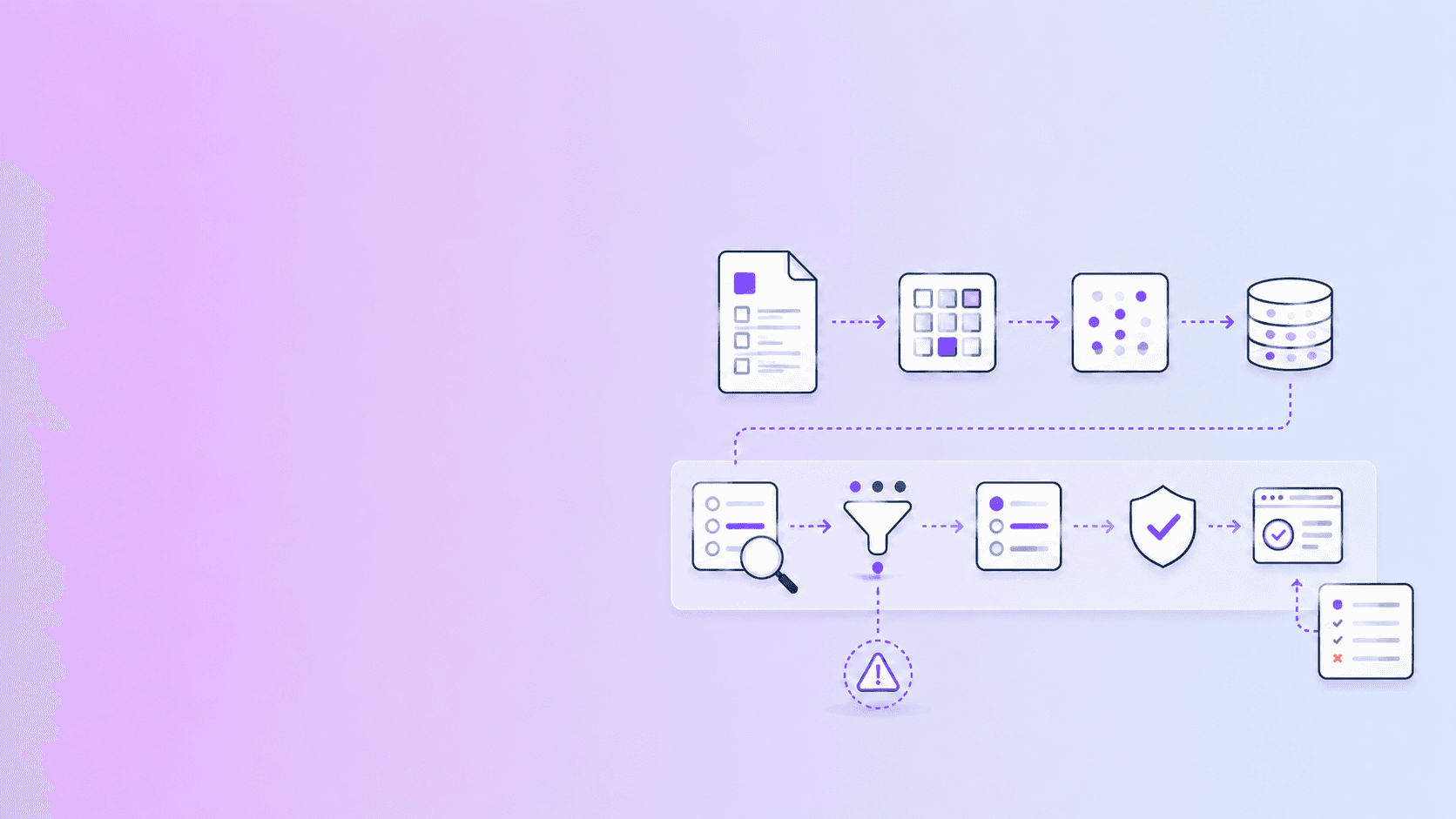
Documentation site and source files
  -> crawl or ingest
  -> parse and normalize
  -> chunk with section context
  -> keyword and vector indexes
  -> permission and version filters
  -> retrieve and rerank
  -> answer with source references
  -> evaluate and monitor
The model is only one part of the system. Most failures originate earlier: stale pages, poor chunking, incomplete metadata, missing permissions, or retrieval that selects a related passage instead of the supporting one.
Why documentation is a good RAG corpus
Documentation often has useful structure:
- headings describe concepts and procedures;
- code examples show exact usage;
- API references contain named parameters;
- troubleshooting pages map symptoms to fixes;
- version labels distinguish behavior over time.
That structure gives retrieval strong signals. It also creates high expectations. Users can check whether an answer matches the canonical page, so a wrong citation is easy to notice and damaging to trust.
Step 1: define the retrieval boundary
Decide what the assistant is allowed to answer from. A public product guide, private support playbook, release notes, and customer-specific contract should not automatically share one retrieval scope.
Define:
- collections and audiences;
- public versus private sources;
- product and version boundaries;
- source authority and ownership;
- retention and deletion rules;
- actions that require human review.
Apply those filters before the model sees context. A prompt cannot repair a retrieval layer that already leaked restricted content.
Step 2: ingest and parse source content
For HTML and Markdown, preserve headings, links, code, lists, tables, and stable anchors. For PDFs, preserve page numbers, layout hints, tables, and extraction warnings where possible.
Do not index only the visible answer. Store enough metadata to explain where the answer came from:
{
  "source_id": "billing-guide-v4",
  "title": "Billing guide",
  "section_path": ["Accounts", "Invoices", "Refunds"],
  "version": "4",
  "url": "/docs/billing/refunds",
  "updated_at": "2026-06-20T10:00:00Z",
  "text": "..."
}
If the source is a PDF, add page and a region or bounding box when available. That makes review and citation more precise.
Step 3: chunk around documentation meaning
Chunk by sections, procedures, endpoint definitions, and troubleshooting units before falling back to fixed-size windows. Include parent headings and the document title in the indexed text or metadata.
Keep tables with their headings and notes. A row containing “30 days” is ambiguous without the column name and policy section that explain what the duration means.
Use overlap carefully. Overlap can preserve context, but too much creates duplicate evidence and makes ranking noisy.
Step 4: implement hybrid retrieval
Documentation questions often contain exact strings. A user may search for an error code, endpoint, configuration key, or version number. Semantic retrieval alone can miss these details.
Combine:
- keyword search for exact terms;
- vector search for paraphrases;
- metadata filters for version, product, language, and access;
- reranking for section relevance and source quality.
Deduplicate passages from the same section and prefer the current canonical source when versions are not explicitly requested.
Step 5: design the answer contract
Specify what the answer should return. For example:
{
  "answer": "...",
  "claims": [
    {
      "text": "...",
      "sources": ["billing-guide-v4#refunds"]
    }
  ],
  "status": "supported",
  "warnings": []
}
Useful statuses include supported, partially supported, conflicting sources, and not found. A “not found” result is better than a fluent invention when the corpus does not answer the question.
Step 6: make citations useful
Show citations next to the claim or paragraph they support. A references list at the bottom is less useful when a response contains several claims.
Use stable links and include:
- page or section title;
- version;
- URL and anchor;
- PDF page and region when available;
- retrieval timestamp if freshness matters.
Keep retrieval citations distinct from verified claims. Retrieval says which passages were selected. Verification asks whether the claim is actually supported by those passages.
Step 7: evaluate with real questions
Create an evaluation set from support conversations, search logs, onboarding questions, and API integration tasks. Include questions that should fail:
- the answer is not in the corpus;
- the user asks about a retired version;
- permissions exclude the relevant page;
- two sources disagree;
- the question is ambiguous;
- a PDF extraction warning affects the relevant section.
Measure more than answer fluency:
| Metric | What it tells you |
|---|---|
| Retrieval recall | Whether the supporting passage was found |
| Citation support | Whether the cited text supports the claim |
| Answer completeness | Whether important parts were omitted |
| Version accuracy | Whether the answer uses the right release |
| Refusal quality | Whether missing evidence is handled honestly |
| Permission safety | Whether restricted content stays restricted |
| Latency | Whether the workflow is usable |
Common mistakes
Putting every source in one index
This creates version and permission problems. Separate collections or enforce filters in the retrieval query.
Treating page views as a source of truth
A rendered page may hide stale imports or client-only content. Index the canonical source and store its version.
Returning citations without claim mapping
A response can cite a relevant page while making an unsupported inference. Keep claim-to-source relationships available for review.
Adding a chat box before fixing search
If search returns weak or stale passages, a chat interface makes the failure sound more confident. Improve the corpus and retrieval first.
Conclusion
Documentation RAG works when it treats documentation as a maintained source system. Parse and preserve structure, retrieve with keywords and semantics, enforce permissions and versions, return source-aware answers, and evaluate the cases where the system should refuse. The result is a useful assistant that helps users navigate the documentation instead of replacing its authority.
Related implementation guides
For PDF-heavy documentation, start with source-aware PDF parsing and citation-preserving chunk design. The page-level citation guide covers the answer interface.
Use RAG faithfulness and citation quality to evaluate support, and model operating cost with How Much Does a RAG Chatbot Cost Per Month?.
For product-support content locked in PDFs, follow the PDF manual to RAG knowledge-base guide, which adds product-version, procedure, warning, and error-code controls.
Frequently Asked Questions
Free Tool
PDF to JSON
Turn PDFs into structured, source-aware data for RAG, review, and automation.
Try PDF to JSONDocuShell Team
The DocuShell editorial group writes and maintains guides for everyday PDF workflows, with updates made when tool behavior or documented limits change. See our editorial standards for the process behind each article.
Focus: RAG architecture, documentation search, structured extraction, and evidence-aware answer workflows
Questions or feedback? Get in touch.