Distrust the extension and client MIME type
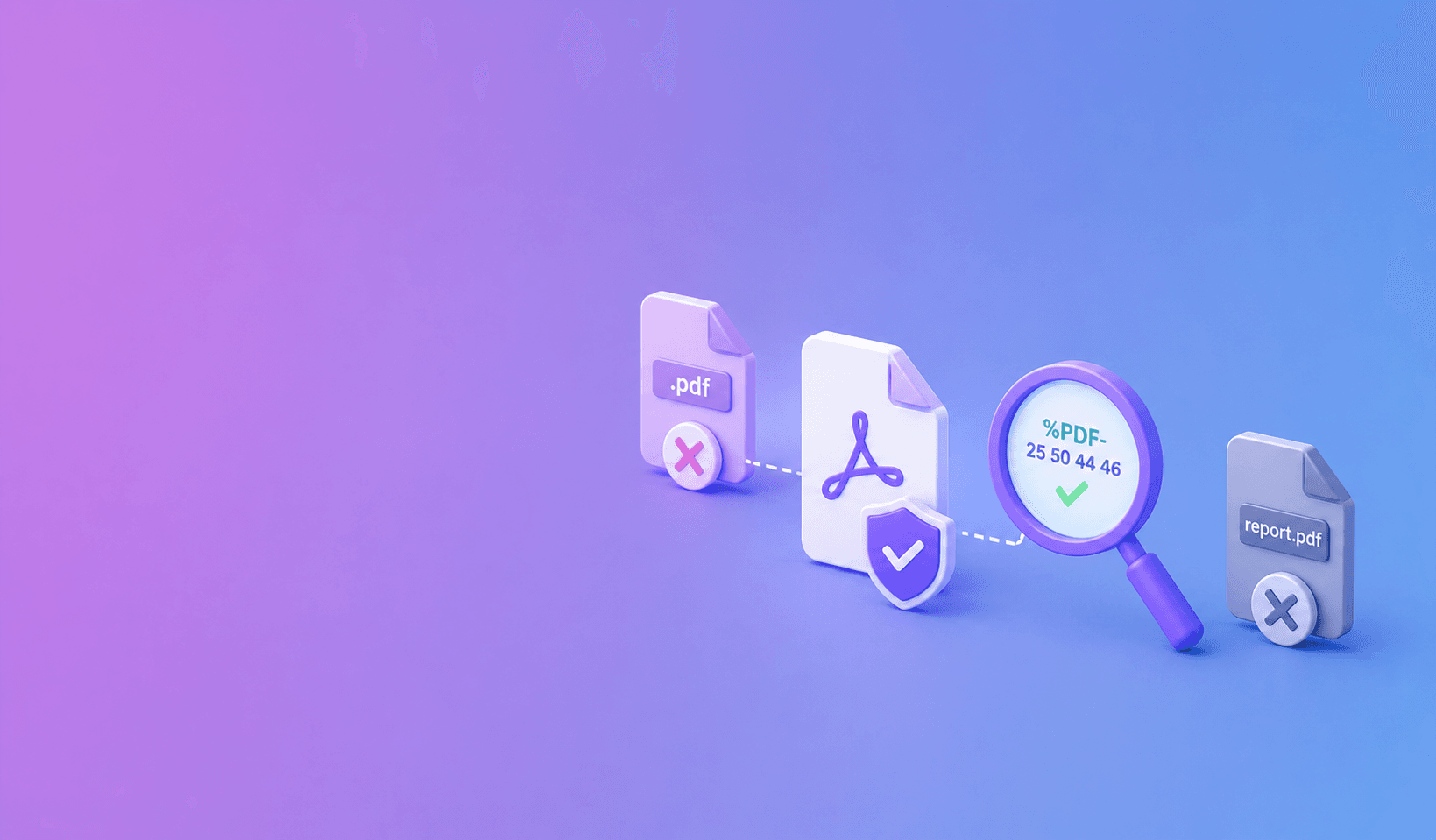
Magic-byte checks detect fake PDF uploads by inspecting the file's contents for the expected PDF signature instead of trusting the .pdf extension or client-supplied MIME type. They are an early filter, not a complete malware or validity check.
File names are labels
Renaming script.exe to report.pdf does not turn it into a document. The browser may also send a generic or incorrect content type.
A secure service compares the declared type with bytes read from the uploaded file before queueing expensive work.
Filename: quarterly-report.pdf
Client MIME: application/pdf
File prefix: 25 50 44 46 2D   ->   %PDF-
The prefix supports the claim that the container is a PDF. It does not prove that the complete file is structurally valid or safe to process.
Check the PDF signature carefully
PDF files normally contain %PDF- near the beginning. Implementations should inspect a small allowed prefix rather than assuming every valid producer writes the header at byte zero.
Reject clear mismatches and avoid passing unknown formats to PDF tools.
Add structural validation
A matching header does not prove the rest of the file is healthy. Use a hardened PDF parser or utility to check page count and structure. Enforce file-size and page limits before heavy processing.
DocuShell combines schema validation, MIME checks, magic-byte checks, and page preflight in its API and worker security model.
Isolate the processing step
Treat every uploaded PDF as untrusted. Run native tools and renderers with narrow permissions, resource limits, temporary storage, and structured error handling.
Do not expose raw parser errors or server paths to the client.
Test more than renamed files
Include empty files, truncated PDFs, encrypted files, polyglots, oversized documents, malformed object graphs, and valid PDFs with unusual leading bytes in the test set.
Magic-byte validation closes one obvious door. Secure file processing still depends on layered checks after the upload passes it.
A layered PDF intake flow
A robust upload path checks the request schema, authentication, rate limit, declared MIME type, filename policy, file size, PDF signature, structural validity, encryption support, and page count before queueing heavy work.
Each check answers a different question. Magic bytes identify the claimed container. Structural parsing decides whether tools can safely open it. Resource limits control how much work the service will accept.
| Control | Question answered | Why it cannot stand alone |
|---|---|---|
| Extension allowlist | Is the requested type supported? | Names are user-controlled |
| MIME check | What did the client declare? | Header can be spoofed |
| Magic bytes | Does the prefix match PDF? | A crafted body may still be malicious |
| Structural preflight | Can a hardened parser read it? | Valid PDFs can still exhaust resources |
| Size and page limits | Is the job within budget? | Small files can still be complex |
| Worker isolation | What happens if parsing fails badly? | Does not replace validation |
Upload rule: treat signature matching as evidence of file type, not evidence of safety.
Avoid extension-based routing
Do not choose a parser only from the filename. Store uploads outside a public web root, generate server-side temporary names, and pass an explicit validated type to the worker.
Preserve the sanitized original name only as metadata for the response. Never use user-supplied paths directly.
Handle encrypted and malformed PDFs
If a workflow does not support encrypted input, reject it with a clear error before queueing. For malformed files, return a stable client-safe message and retain technical details only in structured server logs.
Do not repeatedly send a known-invalid file through native tools after automatic retries.
Build adversarial tests
Include valid headers with non-PDF bodies, very large object counts, deeply nested structures, truncated cross-reference data, unusual header offsets, and files that are valid but exceed plan limits. Test memory and process time, not only HTTP responses.
Pair file validation with an async PDF workflow, short temporary-file retention, and secure PDF API delivery. For the broader user-facing risk, read what happens when a PDF is uploaded online.
For a technology-neutral security checklist, review the OWASP File Upload Cheat Sheet. OWASP also treats file-signature validation as one layer rather than a standalone guarantee, which is why structural validation, safe storage, permissions, and processing isolation still matter.
Frequently Asked Questions
DocuShell Team
The DocuShell editorial group writes and maintains guides for everyday PDF workflows, with updates made when tool behavior or documented limits change. See our editorial standards for the process behind each article.
Focus: Secure upload validation and PDF processing pipelines
Questions or feedback? Get in touch.