Direct Answer
A good PDF parse API delivers four things in roughly this priority order: faithful reading-order text, accurate table reconstruction, clean Markdown for downstream LLMs, and predictable per-page cost. Speed, fancy features, and vendor branding matter less than these four — and the gap between the best and worst APIs on table accuracy alone is large enough to change which API wins for a given workload.
This guide is a practical buyer's view: what to actually test, how the headline numbers mislead, how pricing models interact with real document mixes, and when to skip the hosted API entirely in favor of self-hosting or browser-side parsing.
What "PDF parse API" actually has to do
A modern parse API has to handle a much wider workload than the PyPDF-on-a-shelf parsers of 2015. Specifically:
- Text extraction with correct reading order. Multi-column documents, sidebars, footnotes, and pull quotes routinely confuse naive extractors.
- Heading detection. Headings drive chunking for RAG, navigation for review tools, and section-level field mapping. Losing them turns a structured document into prose soup.
- Table reconstruction. Tables are where high-value data lives — invoice line items, financial figures, SLA grids, compliance matrices. Flattening them to text is one of the most expensive mistakes in the space.
- OCR fallback. Scanned pages must be detected and OCR'd. Mixing native-text and OCR pages cleanly is harder than it sounds.
- Markdown generation. Markdown is the dominant intermediate format for LLM ingestion. A parser that produces noisy Markdown forces every downstream pipeline to clean it up.
- Page references and bounding boxes. Citations, audit trails, and human review all need to point back to a specific spot in the source PDF.
- Warnings and confidence. Receivers need to know when the parser is guessing.
Any API missing one of these will hit a wall on some document class within the first thousand files.
The accuracy numbers vendors quote — and what they actually mean
Most parse-API marketing leads with one number: "98 percent accuracy" or "99.5 percent field-level extraction." Treat those numbers as marketing language, not measurements, until you see the methodology.
What to ask:
- Accuracy on what corpus? A parser tuned on US invoices will score very differently on European utility bills, Japanese receipts, or 1990s-style government PDFs.
- Accuracy at what level? Character-level, token-level, field-level, and table-cell-level accuracies look similar in a slide deck and behave very differently in production.
- What is the denominator? Field-level accuracy on a 10-field invoice means something different than character-level OCR accuracy on a 5,000-character page.
- What counts as wrong? Strict string match versus normalized comparison versus semantic equivalence. A vendor that counts "USD 1,200" and "$1200.00" as a match has a different "98 percent" than one that doesn't.
The benchmarks worth running yourself are usually cheap to set up:
- Pick 100 documents that look like your real workload.
- Hand-annotate the fields, headings, and table cells you actually care about.
- Run each candidate API and score against your annotations.
- Look at the failure cases by hand. The story behind the wrong answers tells you more than the percentage.
Most teams discover that the ranking on their corpus differs materially from the public benchmarks. That is the point.
Reading order: the silent quality differentiator
Reading order is the order in which a parser presents text to downstream systems. For a single-column document it is obvious. For everything else, parsers disagree.
A few cases where reading order goes sideways:
- Two-column layouts. Some parsers serialize left-column-then-right-column; others zig-zag across columns. Only the first is usable.
- Sidebars and pull quotes. A pull quote in the middle of a paragraph should not be inserted into the middle of the surrounding text.
- Footnotes. Footnotes usually belong at the end of a chunk, not inline.
- Headers and footers. Repeated headers and page numbers should be filtered, not interleaved into every page.
- Tables. Table cells should be presented as a structured table, not as a stream of comma-separated values jammed into prose.
When reading order is wrong, every downstream system pays. Embeddings get noisier, chunking splits at the wrong places, and human reviewers stop trusting the output. A parse API that gets reading order right on your corpus is worth more than one that scores higher on a synthetic benchmark.
Table extraction is where the gap is widest
If your documents contain tables — invoices, financial statements, lab reports, schedules, comparison sheets — table extraction quality dominates the choice.
Three patterns are common:
- Geometric extraction. The parser uses ruled lines and whitespace to detect tables. Fast, deterministic, brittle on borderless tables.
- Layout-aware ML extraction. The parser uses a vision model to detect table structure. Better on borderless and complex tables, slower, occasionally hallucinates rows.
- Hybrid. Geometric first, ML fallback for borderless or ambiguous cases. The best vendors do this; it's the right default.
Test on your hardest tables, not your easiest. Merged cells, multi-row headers, currency columns with thousands separators, and footnote markers inside cells are the cases where parsers diverge.
A useful artifact: ask each candidate to emit the table both as JSON (structured rows and columns) and as Markdown. If the JSON is correct but the Markdown is broken — or vice versa — you've found a maturity gap.
Sync vs async: pick async by default
Sync APIs return the parse result in the HTTP response. They are simple to integrate and fine for small documents.
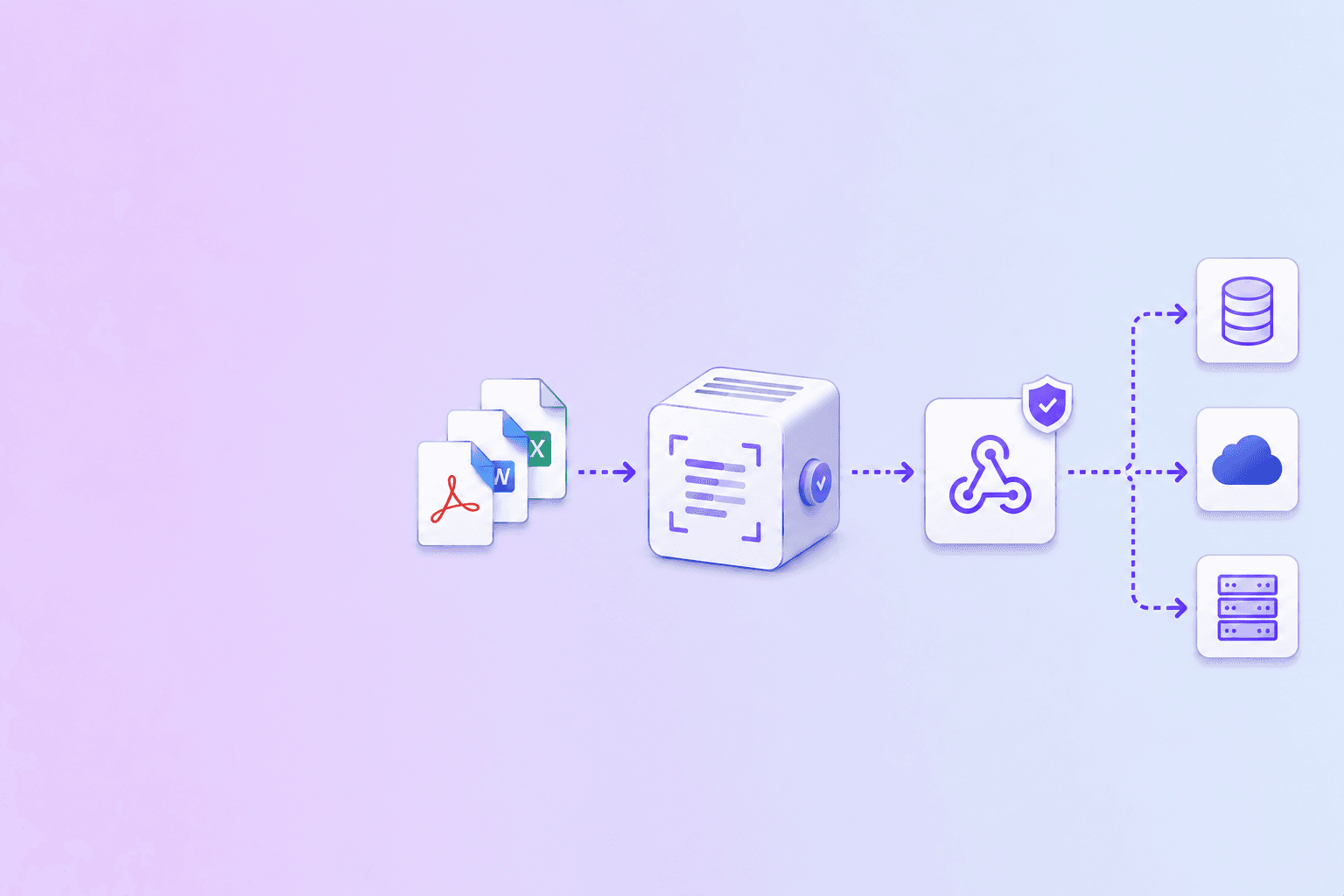
Async APIs accept the document, return a job ID, and deliver the result through a webhook or polling endpoint. They are the only sane choice for:
- Documents larger than a few MB.
- Anything requiring OCR.
- Batches of more than a handful of documents.
- Workflows where the client cannot hold open a long HTTP connection.
The temptation to mix the two — sync for "fast" documents, async for "slow" ones — usually creates more code paths than it saves. Most production pipelines settle on async for everything once they hit moderate scale.
For async, the webhook delivery layer matters as much as the parsing layer. The document processing solutions webhook delivery guide covers the signing, idempotency, and retry patterns that determine whether the pipeline is reliable.
Output formats: pick what your downstream consumes
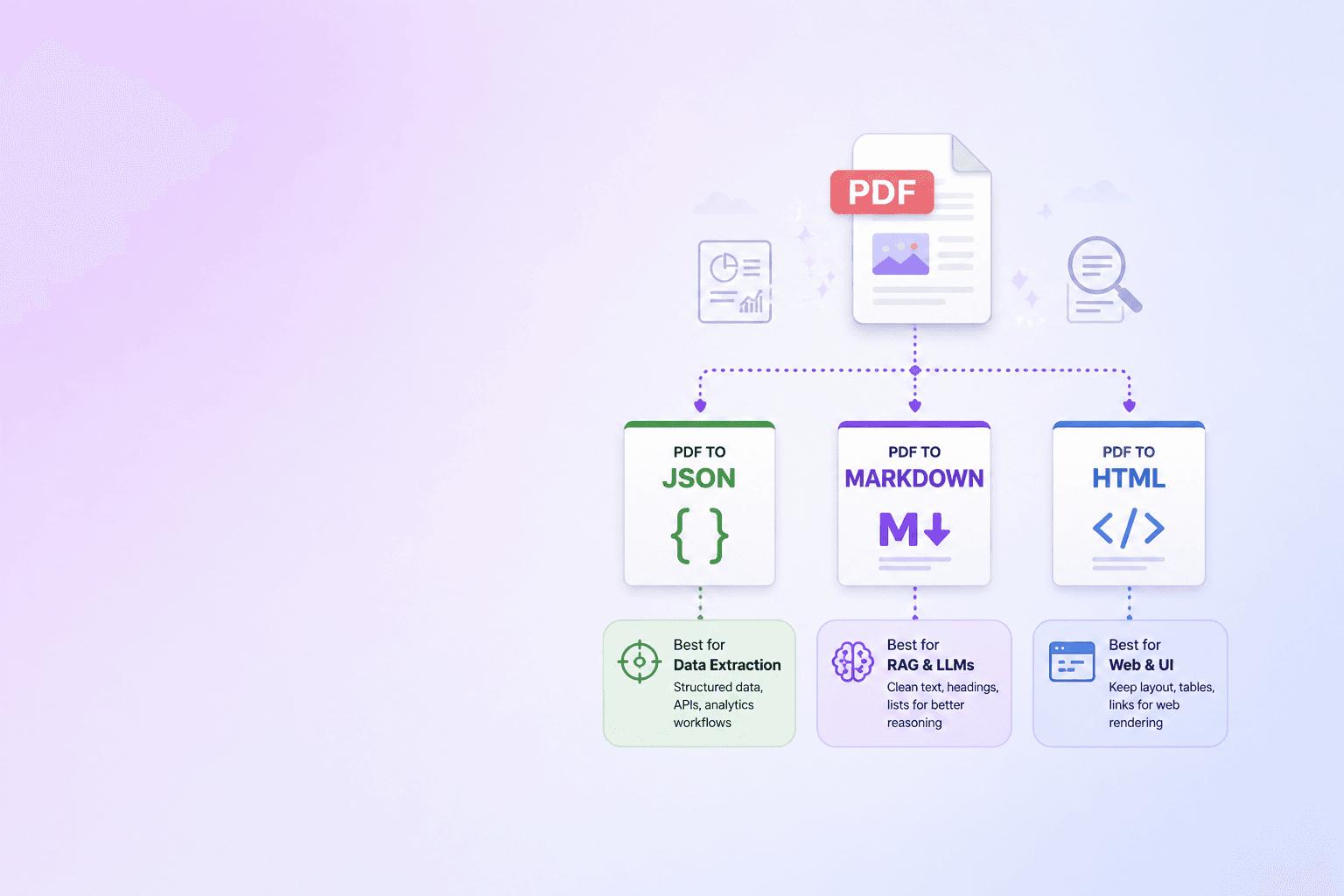
A modern parse API typically emits multiple outputs from a single parse:
- JSON — structured fields, tables as rows and columns, page coordinates. Best for ERP/CRM/accounting integration.
- Markdown — preserves headings, lists, tables, code blocks. Best for RAG ingestion and human review.
- HTML — richer layout than Markdown. Best for in-browser review interfaces.
- CSV — flat row-and-column extraction of tables. Best for spreadsheets and BI.
- Plain text — fallback for legacy systems. Avoid for anything new.
The trade-offs are covered in detail in PDF to JSON, Markdown, or HTML. The headline rule: pick the format the consumer can act on without further parsing, then store the others as cheap derived artifacts.
Pricing models and the math that surprises teams
Five pricing models dominate:
| Model | Predictability | Watch out for |
|---|---|---|
| Per-page | High | OCR pages may cost more than text-only pages |
| Per-document | Medium | Long documents become cheap; short batches become expensive |
| Per-call | Low | Pagination and retries can multiply call count |
| Per-character | Low | Image-heavy and OCR-heavy documents balloon |
| Flat monthly with tiered caps | High up to the cap | Burst workloads hit the cap quickly |
The model that ages best for most teams is per-page with separate tiers for native-text and OCR pages. It maps directly to document volume and is easy to forecast.
A few specific patterns to budget for:
- Reprocessing. When you upgrade your downstream schema, you often want to reparse the historical corpus. Make sure the pricing tier supports that without a punishing reprocessing surcharge.
- Failed pages. Some vendors charge for pages that fail to parse. Read the small print.
- Batch overhead. Some APIs add a per-batch fee on top of per-page. For small batches this matters.
- Webhook delivery cost. Most vendors include this; some count it as an API call.
Run your forecast on a realistic month's worth of real documents, not on the vendor's pricing calculator. The two often differ by 30 to 50 percent.
Privacy and where the document lives
Document parsing pipelines often handle sensitive material — contracts, financial records, identity documents, medical records, internal policies. Where the document lives during parsing is a first-class concern.
Three deployment patterns:
- Hosted API. Send the document to the vendor's cloud. Easiest to integrate, hardest to satisfy strict compliance requirements. Look for SOC 2 Type II, HIPAA BAA availability, and explicit storage-TTL controls.
- VPC / private deployment. The vendor runs their parser inside your cloud account. More expensive, much better isolation. Common for regulated industries.
- Self-hosted or browser-side. Open-source parsers (Tika, PyMuPDF, pdfplumber, Unstructured) or in-browser libraries (PDF.js, pdf-lib, OpenDataLoader-WASM) keep the document on your infrastructure or on the user's device.
For document workflows that involve customer data, the right default is often the most-local pattern that still produces acceptable output. DocuShell's PDF to JSON / Excel is built around the browser-side variant: the PDF never leaves the user's tab, even for structured extraction.
Self-hosted vs hosted: the honest comparison
The open-source parsing landscape has matured. A short, honest summary:
- Apache Tika — battle-tested, broad format support, reliable text and metadata extraction. Weak on tables. Good baseline for "we just need text out."
- PyMuPDF (fitz) — fast, accurate text and layout extraction for native-text PDFs. Limited table support. Excellent for high-throughput pipelines on clean PDFs.
- pdfplumber — best-in-class table extraction on PDFs with ruled lines. Pure Python, easy to deploy. Slower than PyMuPDF on large volumes.
- Unstructured — newer, designed for AI ingestion. Produces partition objects that map to chunks for RAG. Strong Markdown output. Heavier dependency footprint.
- OpenDataLoader — open-source layout-aware parser with strong reading-order detection and table reconstruction. Available as a CLI and as a WASM build that runs in the browser, which is what DocuShell uses for local-first parsing.
The honest gap with hosted APIs in mid-2026 is:
- Layout-aware OCR fallback. Most hosted APIs blend native-text and OCR pages more cleanly than open-source.
- Borderless table reconstruction. Vision-model-driven hosted APIs still win on the hardest tables.
- Form field extraction with schema mapping. Hosted IDP platforms ship pre-tuned models for invoices, receipts, identity documents, etc.
If your workload is clean native-text PDFs with simple tables, self-hosting is increasingly the right answer. If your workload is a chaotic mix of scans, multilingual content, and complex tables, hosted typically still wins — at least until you have the engineering team to operationalize a vision-model-driven open-source stack.
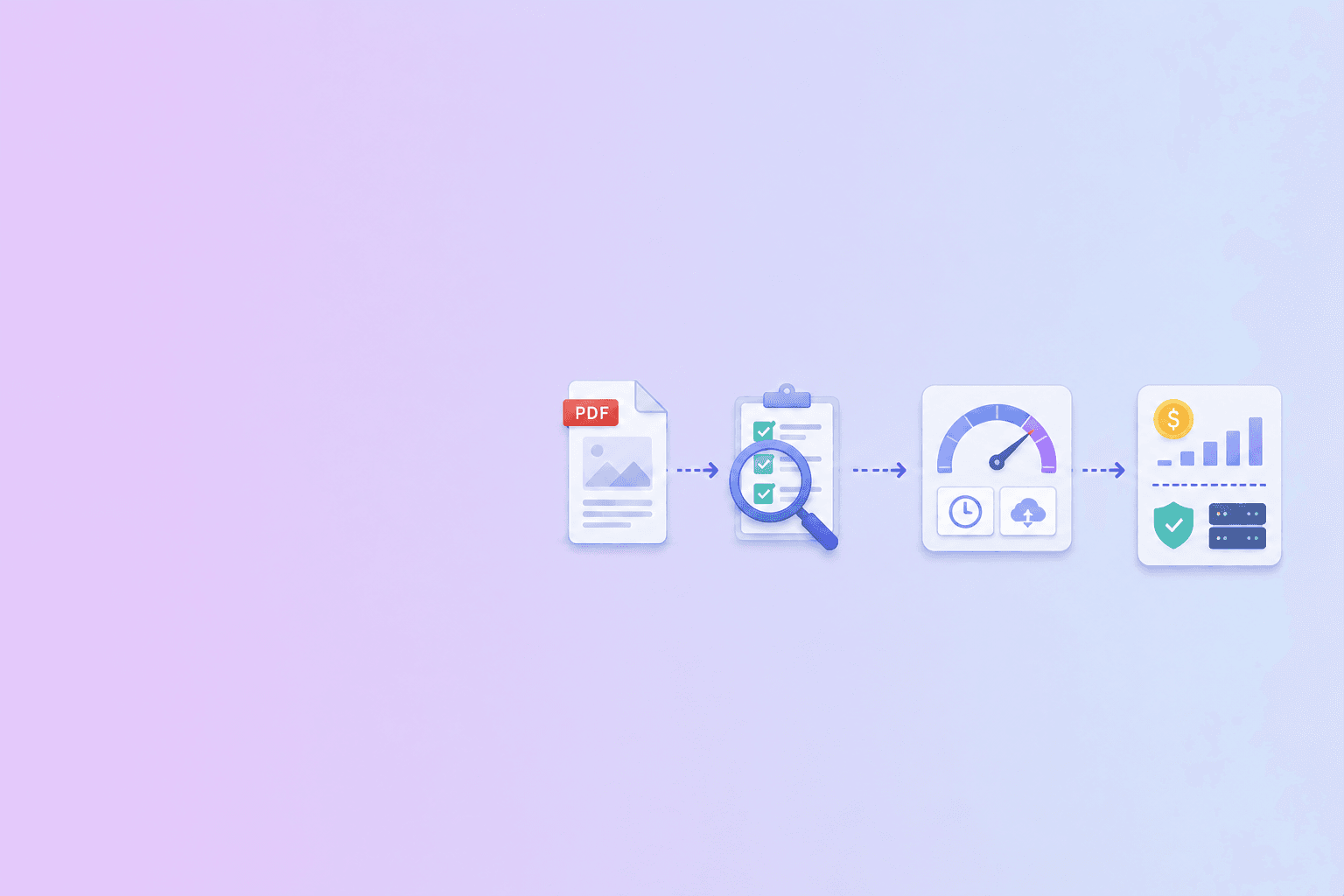
A 30-minute evaluation script
A pragmatic testing protocol that catches the differences that matter:
- Pick 20 documents from your real corpus. Include native-text, scanned, table-heavy, multi-column, and multilingual examples. Add at least one PDF that is corrupt or unusually large.
- Run each candidate. Capture both JSON and Markdown outputs.
- Score reading order. Read the first page of the Markdown output. Does it read like the original? Or does it interleave columns and footnotes?
- Score tables. Spot-check the top two tables per document. Are rows and columns correct? Are merged cells handled?
- Score Markdown cleanliness. Are headings preserved? Are repeated headers and page numbers filtered?
- Score warnings. Did the parser surface scanned pages, low-confidence OCR, or rotated pages?
- Measure latency. Capture p50 and p95 parse-to-result for each candidate.
- Calculate cost. Multiply per-page price by your projected monthly volume; include OCR pages.
Half a day of work, weeks of vendor lock-in avoided.
Common mistakes when choosing a parse API
A short list of patterns we see go wrong:
- Choosing on the demo. Vendor demos use ideal documents. Your corpus does not.
- Choosing on price alone. A cheap parser that requires a downstream cleanup step is more expensive than a higher-priced one that doesn't.
- Skipping the privacy review. "We'll add the DPA later" usually means "we'll discover at procurement that we can't use this vendor."
- Not budgeting for reprocessing. Schemas change. Plan for reparsing a year's worth of documents at least once.
- Treating the API as the entire pipeline. Parsing is one step. Delivery (webhooks), receiver-side dedupe, and downstream side effects are the other 80 percent of the work.
Where DocuShell fits
DocuShell's PDF parse layer is built around a few design choices that mirror the recommendations above:
- Server-side structured parsing. The PDF to JSON / Excel tool uses isolated workers and temporary storage for structured extraction, with cleanup after delivery and a one-hour stale-file ceiling.
- Multiple output formats from one parse. JSON, Markdown, HTML, and text from one job, so downstream consumers can pick the right shape.
- Layout-aware extraction. Reading-order detection, heading preservation, and table reconstruction using OpenDataLoader, which keeps complex documents readable.
- Async API with signed webhooks. Batch parsing for production volume, with HMAC-signed delivery, nonced replay protection, and short-lived signed output URLs. The document processing solutions webhook delivery guide covers the receiver-side patterns.
Useful adjacent reading:
- PDF parse API for LLM and RAG pipelines for how to chunk the Markdown output.
- Webhook document automation for the integration pattern that delivers parsed data to your backend.
- PDF to JSON, Markdown, or HTML for picking the right output format per downstream system.
- What is a source-aware PDF parser? for evaluating provenance and citation support.
- How to extract PDF tables for LLMs for a focused table-quality test plan.
- How to preserve multi-column reading order for dense reports and research papers.
Run your own 20-document evaluation, score reading order and tables by hand, and forecast cost on a real month of volume. The right parse API is the one that wins on your corpus, not on the vendor's slide deck.
The short version
Pick a PDF parse API for the four things that matter: reading-order text, accurate tables, clean Markdown, and predictable per-page cost. Test on your real documents, score the failures by hand, and budget for reprocessing. The vendor with the loudest accuracy number is rarely the best fit, and the best fit is increasingly the one that lets you keep sensitive documents on your own infrastructure — or on the user's device — without giving up structured output.
Inspect the JSON, Markdown, and HTML output of a real parser in your browser before you commit to one.
Try PDF to JSON / ExcelFrequently Asked Questions
Free Tool
PDF to JSON
Turn PDFs into structured, source-aware data for RAG, review, and automation.
Try PDF to JSONDocuShell Team
The DocuShell editorial group writes and maintains guides for everyday PDF workflows, with updates made when tool behavior or documented limits change. See our editorial standards for the process behind each article.
Focus: PDF parsing infrastructure, parser benchmarking, and AI-ready document pipelines
Questions or feedback? Get in touch.