Direct Answer
Webhook document automation is the pattern where a document parsing service uploads, parses, and then pushes the structured result to your backend over HTTPS the moment processing finishes. Instead of polling a status endpoint, you expose a callback URL, register it with a shared secret, and receive a signed JSON payload containing the parsed data, page references, and a stable event ID.
Done well, it replaces brittle batch jobs with an event-driven pipeline that scales horizontally and recovers from transient failures automatically.
Done badly, it leaks data, drops events, double-charges customers, and creates a queue your team can never quite drain.
This guide walks through the building blocks: the lifecycle of a document webhook, the payload shape you should expect from a modern parser, the security headers that make replay impossible, and the receiver patterns that survive retries.
What "webhook document automation" actually replaces
Most document pipelines start with a synchronous workflow:
- Upload a PDF.
- Wait for a long-running parse to finish.
- Receive structured JSON in the same HTTP response.
That works for a handful of small files. It collapses under any of the following conditions:
- Files that need OCR, table reconstruction, or LLM-assisted layout repair (seconds to minutes per document).
- Batch uploads of hundreds or thousands of files.
- Mobile or browser clients that cannot keep a connection open long enough.
- Compliance environments where the parsing service cannot store results indefinitely.
The fix is to make parsing asynchronous and event-driven:
- The client (or upstream system) submits a document and immediately receives a job ID.
- The parser does the heavy work in the background.
- The parser POSTs a webhook to a URL you control when the job reaches a terminal state.
This is the same pattern Stripe uses for payments, Twilio for messages, and SendGrid for email events. For documents the same primitives apply with one twist: the payload size and sensitivity are typically much larger.
The lifecycle of a document webhook
A typical parsed-data delivery flow looks like this:
- Submit. Your service or a tenant uploads a PDF to the parser via REST API, drag-and-drop, or an S3-style staging bucket. The parser returns a job ID and status
queued. - Process. The parser runs extraction: text blocks, tables, headings, OCR fallbacks, Markdown normalization, and any tenant-specific schema mapping.
- Materialize. Outputs (JSON, Markdown, HTML, CSV) are written to short-lived storage with a TTL.
- Notify. The parser POSTs a signed webhook to your registered URL. The body contains the event ID, job ID, status, and either inline data or signed download URLs.
- Acknowledge. Your receiver validates the signature, persists the event ID for idempotency, enqueues downstream work, and returns 200 within a few seconds.
- Retry on failure. If your endpoint returns a non-2xx or times out, the parser retries with exponential backoff for a bounded window (commonly 24 to 72 hours).
Each step has its own failure modes. The next sections cover the ones teams underestimate.
A realistic webhook payload
A parsed-document webhook should be small, predictable, and self-describing. A reasonable shape for a single-file parse:
{
  "id": "evt_01H8AC9N5K2X3J4M9V7Q",
  "type": "pdf.parse.completed",
  "created_at": "2026-06-10T14:21:08.512Z",
  "data": {
    "job_id": "job_2X8R4ZQ9T6P",
    "file_id": "file_9KH3MV2N",
    "filename": "vendor-security-addendum.pdf",
    "page_count": 12,
    "outputs": {
      "json_url": "https://files.example.com/parse/job_2X8R4ZQ9T6P/result.json?sig=...&exp=1718038869",
      "markdown_url": "https://files.example.com/parse/job_2X8R4ZQ9T6P/result.md?sig=...&exp=1718038869",
      "html_url": "https://files.example.com/parse/job_2X8R4ZQ9T6P/result.html?sig=...&exp=1718038869"
    },
    "warnings": [
      { "page": 7, "code": "scanned_no_text_layer" }
    ]
  }
}
Three details deserve emphasis:
idis the dedupe key. Notjob_id. The same job may emit multiple events (pdf.parse.started,pdf.parse.completed,pdf.parse.failed); each has its own immutable event ID.- Outputs are URLs, not inline blobs. A 50-page table-heavy PDF can produce megabytes of JSON. Inline payloads cause HTTP timeouts and break HMAC verification on receivers that buffer the body. Short-lived signed URLs keep webhook bodies under 8 KB and let receivers stream large outputs separately.
- Warnings are surfaced explicitly. Silent OCR fallbacks are a common cause of downstream "we parsed everything fine but the data is empty" tickets. A warnings array makes them inspectable.
For batch endpoints, replace pdf.parse.completed with pdf.parse.batch.completed, add a per-file array, and consider three terminal events: completed, completed_with_failures, and failed. That mirrors how DocuShell's parse-batch API surfaces results today.
Signing: HMAC over the raw body
Every authentic document webhook should be signed by the sender and verified by the receiver. The standard pattern:
- The sender computes
signature = HMAC_SHA256(secret, timestamp + "." + raw_body). - The sender sends
X-Signature: t=1718038869,v1=...(Stripe-style) or two separate headers. - The receiver recomputes the signature using the raw, unparsed bytes of the body.
- The receiver compares with a constant-time function and rejects if the signature is invalid or the timestamp is more than a few minutes old.
Three things go wrong in production:
- Parsing the body before verifying. Frameworks like Express, Django REST, and Next.js often parse JSON automatically. Re-serializing the parsed JSON for HMAC produces a different byte string than the sender used, so signatures never match. Always capture the raw body before parsing.
- String comparison instead of constant-time compare. A naive
==on signatures is vulnerable to timing attacks. Usecrypto.timingSafeEqualin Node.js orhmac.compare_digestin Python. - No timestamp window. Without a timestamp check, an attacker who captures one valid webhook can replay it forever. A 5-minute window is the common default.
For high-throughput pipelines, also store a short-lived nonce (the event ID is a good candidate) in a Redis set with TTL slightly larger than the timestamp window. Reject any nonce you have already seen during that window. This blocks replay attacks even from inside your own retry queue.
Idempotency: the rule receivers always forget
A document webhook can arrive more than once. That is not a bug — it is a guarantee. At-least-once delivery means the sender will retry whenever it cannot confirm a 2xx response, including:
- Your endpoint timed out under load.
- Your endpoint returned 200 but the TCP ACK was lost.
- A network blip caused a duplicate retry.
- You restored a database from backup and lost the "already processed" flag.
The fix is at the receiver layer, not the sender:
CREATE TABLE processed_events (
  id TEXT PRIMARY KEY,
  type TEXT NOT NULL,
  received_at TIMESTAMPTZ NOT NULL DEFAULT now()
);
async function handleWebhook(event) {
  const inserted = await db.query(
    'INSERT INTO processed_events (id, type) VALUES ($1, $2) ON CONFLICT (id) DO NOTHING RETURNING id',
    [event.id, event.type]
  );

  if (inserted.rowCount === 0) {
    return { status: 200, body: { duplicate: true } };
  }

  await enqueueDownstreamWork(event);
  return { status: 200, body: { ok: true } };
}
The INSERT ... ON CONFLICT DO NOTHING returning the row count is the cheapest reliable dedupe primitive in PostgreSQL. The equivalent in MySQL is INSERT IGNORE. In DynamoDB, use a conditional PutItem with attribute_not_exists(id).
Two more guarantees flow from this pattern:
- The downstream side effect (charge a card, update a record, send an email) should also be idempotent. If your business logic creates an invoice every time it runs, the
INSERTguard above only protects you when the receiver finishes quickly enough to win the race. Idempotent business logic is the belt; the dedupe table is the suspenders. - The dedupe row should be inserted inside the same transaction as any local database writes. That way, a crash between the insert and the side effect rolls back both, and the retry succeeds cleanly.
Acknowledge fast, work later
A webhook receiver has two competing pressures:
- Senders typically time out within 5 to 30 seconds.
- Real document workflows (creating records, generating PDFs, syncing to a CRM, kicking off RAG indexing) often take longer.
The reliable pattern is to split work:
- The HTTP handler verifies the signature, persists the event ID, and enqueues a job in BullMQ, Sidekiq, Celery, SQS, or a similar queue.
- The handler returns 200 within a few hundred milliseconds.
- A worker pulls the job, downloads the JSON or Markdown from the signed URL, and runs the slow business logic.
- If the worker fails, the queue (not the webhook sender) handles retries.
This shape decouples webhook timeouts from your real processing time. It also lets you scale workers independently of webhook traffic.
Output formats: pick what your downstream actually consumes
A modern document parser typically materializes several outputs from a single parse. Choose the one that matches your consumer:
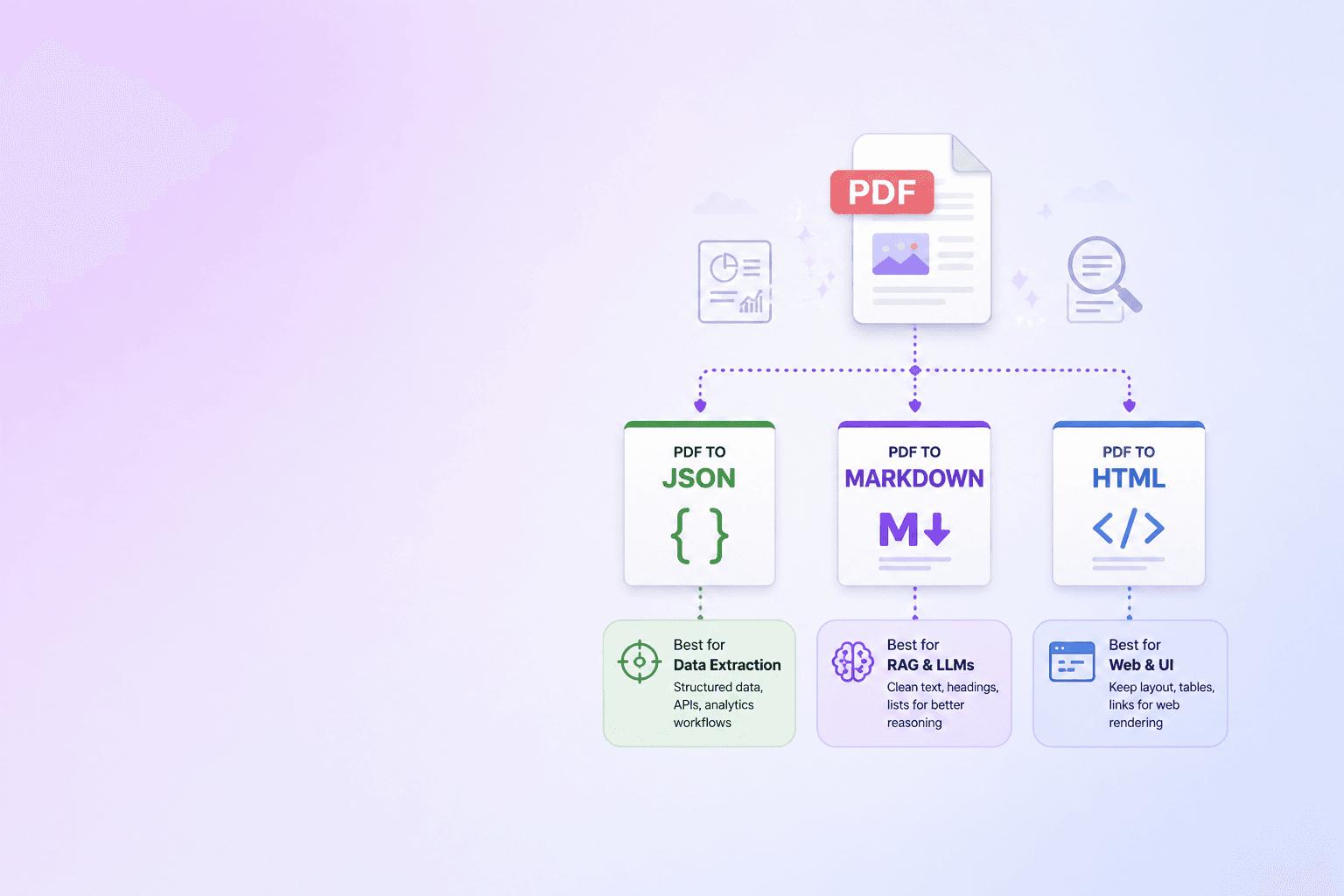
- JSON — structured fields, tables as rows and columns, page coordinates. Best for ERP, CRM, and accounting integrations that need deterministic field mapping. The DocuShell PDF to JSON / Excel tool produces the same shape used by the parse webhook.
- Markdown — preserves headings, lists, tables, and code blocks in a compact, LLM-friendly format. Best for RAG ingestion. The PDF parse API for LLM and RAG pipelines post covers why Markdown beats plain text for embeddings.
- HTML — richer layout than Markdown, suitable for visual review or downstream publishing.
- CSV — flat row-and-column extraction of tables, useful for spreadsheets and BI tools.
Webhook receivers should subscribe to the formats they need and ignore the others. Downloading every format on every event wastes bandwidth and broadens your blast radius if a signed URL leaks.
Failure modes worth designing for
A short list of webhook automation problems we see in real pipelines:
- Hardcoded localhost URLs in production config. A document parser worth its price will refuse to send webhooks to private IPs, link-local addresses, or
localhostto prevent SSRF and accidental loopback. Test against the actual sender's rules before going live. - Receivers that download outputs synchronously inside the webhook handler. A 30 MB JSON download blocks the handler past the sender's timeout. Move the download to the background worker.
- Plain HTTP endpoints. TLS is non-negotiable for any payload that contains parsed customer documents. Most senders refuse non-HTTPS URLs outright.
- Webhook secrets stored in plain text in config files. Rotate them like API keys. If your sender supports multiple active secrets during rotation (DocuShell does), use that grace window — do not flip atomically.
- No alerting on persistent retries. Senders give up eventually. By the time a customer notices, you have hours of missed events. Page the on-call when your receiver returns 5xx more than N times in a window.
Where DocuShell fits
DocuShell exposes signed webhooks on its parse-batch endpoint. Each terminal batch emits one of three events — pdf.parse.batch.completed, pdf.parse.batch.completed_with_failures, pdf.parse.batch.failed — with HMAC-signed payloads, nonced replay protection, and signed download URLs for the materialized JSON, Markdown, HTML, and CSV outputs.
The webhook layer is paired with:
- The PDF to JSON / Excel tool for inspecting parse output locally before you wire up an automation.
- The PDF parse API blog for LLM and RAG pipelines for guidance on chunking the delivered Markdown.
- The Markdown to PDF tool for round-tripping cleaned Markdown back into shareable documents.
- The PDF to JSON, Markdown, or HTML post for picking the right output format per integration.
Verify the HMAC against the raw body. Reject timestamps older than 5 minutes. Dedupe on the event ID. Return 200 fast and enqueue the real work. Rotate secrets without downtime.
A minimal Node.js receiver
A reference implementation in roughly 40 lines, suitable for adapting to Express, Fastify, or a Next.js Route Handler:
import express from 'express';
import crypto from 'crypto';

const app = express();
const SECRET = process.env.DOCUSHELL_WEBHOOK_SECRET;
const TOLERANCE_SECONDS = 300;
const seen = new Set(); // swap for Redis in production

app.post('/webhooks/docushell', express.raw({ type: 'application/json' }), (req, res) => {
  const header = req.headers['x-signature'] || '';
  const [tPart, vPart] = header.split(',');
  const t = Number((tPart || '').split('=')[1]);
  const v = (vPart || '').split('=')[1];

  if (!t || !v || Math.abs(Date.now() / 1000 - t) > TOLERANCE_SECONDS) {
    return res.status(401).send('stale');
  }

  const expected = crypto
    .createHmac('sha256', SECRET)
    .update(`${t}.${req.body}`)
    .digest('hex');

  const a = Buffer.from(expected, 'hex');
  const b = Buffer.from(v, 'hex');
  if (a.length !== b.length || !crypto.timingSafeEqual(a, b)) {
    return res.status(401).send('bad signature');
  }

  const event = JSON.parse(req.body.toString('utf8'));
  if (seen.has(event.id)) return res.status(200).json({ duplicate: true });
  seen.add(event.id);

  enqueueDownstreamWork(event).catch(console.error);
  return res.status(200).json({ ok: true });
});

app.listen(3000);
The notable parts:
express.rawkeeps the body as bytes so the HMAC matches.- The timestamp guard and constant-time compare are mandatory, not optional.
- The
seenset stands in for the real dedupe store; use Redis or your database in production. - The actual document processing runs after the response is sent.
That handler will survive almost any sender's retry policy.
The short version
Webhook document automation works when you treat it as plumbing for an event-driven system, not as a shortcut around polling. The senders that win are the ones that sign payloads, retry with backoff, expose explicit event IDs, and never send raw documents inline. The receivers that win are the ones that verify the signature against raw bytes, dedupe on event ID, acknowledge fast, and do the actual work in a worker.
Get those primitives right and your document pipeline scales linearly with documents per minute. Get them wrong and you spend the next quarter chasing duplicates.
Put the reliability pieces together
Design the producer around an asynchronous PDF job lifecycle and protect creation with idempotency keys. Consumers should follow the signed webhook verification sequence and keep polling as a reconciliation path.
For implementation examples, continue with n8n PDF parsing, DocuShell with Zapier, PDF workflows in Make, or parsed PDF data in Airtable.
Inspect parsed JSON, Markdown, and HTML output before you wire up your first webhook receiver.
Try PDF to JSON / ExcelFrequently Asked Questions
Free Tool
PDF to JSON
Turn PDFs into structured, source-aware data for RAG, review, and automation.
Try PDF to JSONDocuShell Team
The DocuShell editorial group writes and maintains guides for everyday PDF workflows, with updates made when tool behavior or documented limits change. See our editorial standards for the process behind each article.
Focus: Document parsing infrastructure, signed webhook delivery, and async pipelines for PDFs
Questions or feedback? Get in touch.