Scenario blueprint
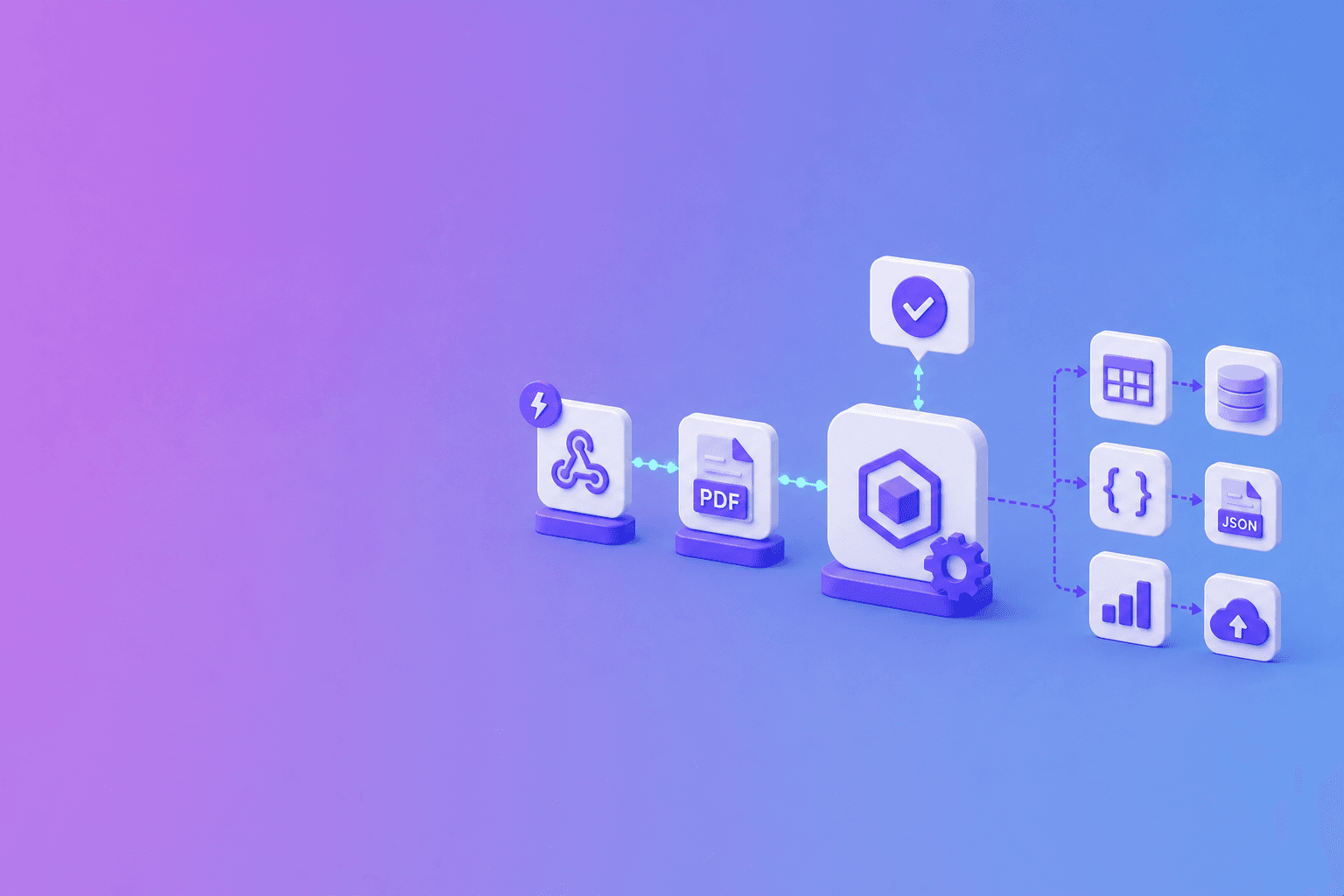
Build a PDF automation workflow in Make with a custom webhook for DocuShell job events and HTTP modules for authenticated status and download requests. Add routers for completed and failed jobs, then send validated output to the approved destination.
| Make module | Role | Failure route |
|---|---|---|
| Custom Webhook | Receive job event | Reject unexpected schema |
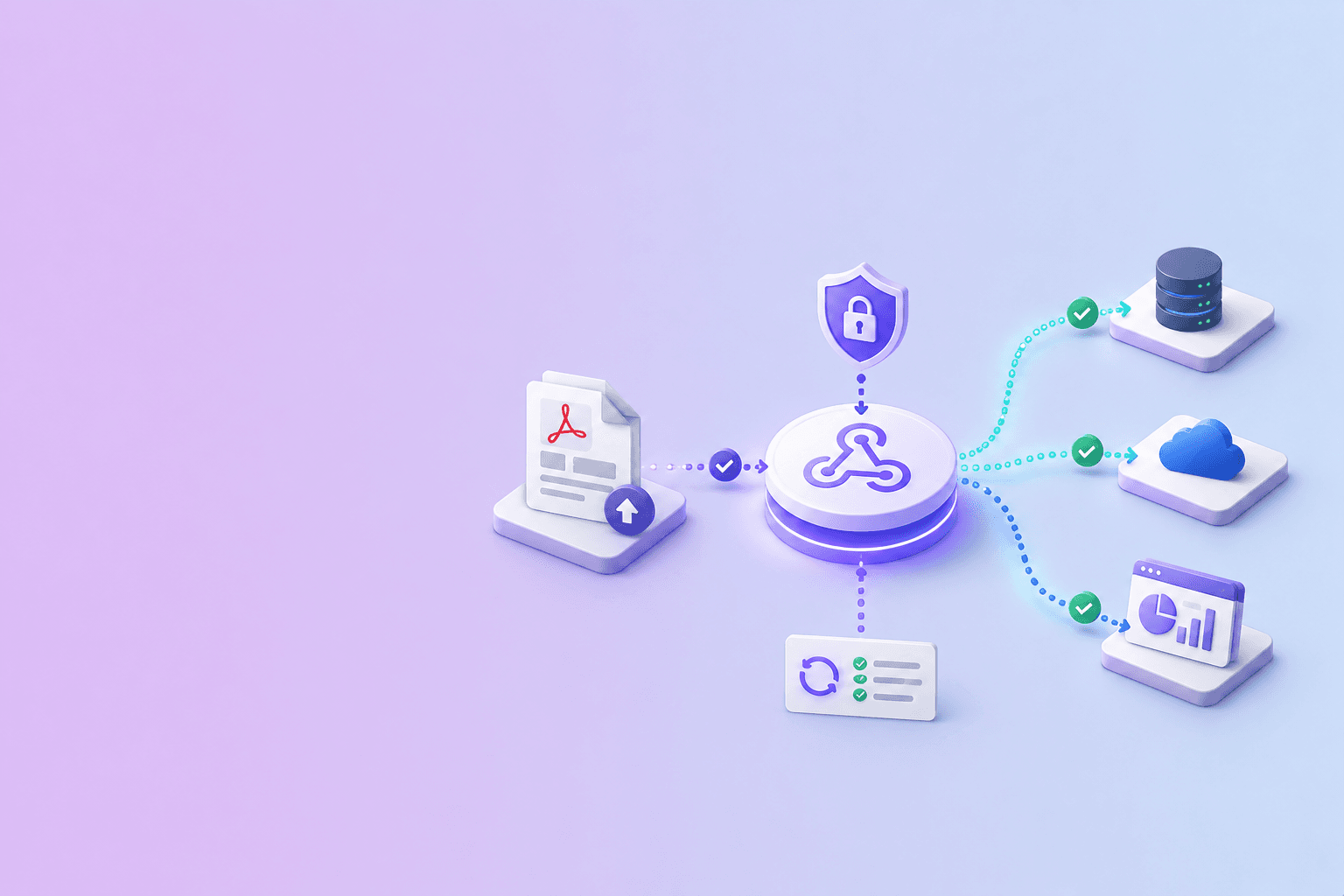
| Verification gateway | Confirm signature | Security alert, no processing |
| Data Store | Reserve event ID | Stop duplicate run |
| HTTP | Fetch job and result | Retry temporary API failure |
| Router | Separate outcomes | Completed, failed, review-needed |
| Transformer | Map approved fields | Validation exception |
| Destination | Upsert record | Queue destination retry |
Start with the custom webhook
Create a Make scenario and add a custom webhook. Copy its HTTPS address into a supported DocuShell job request.
DocuShell lists Make as a webhook-compatible destination on its Integrations page. The workflow is built from standard modules, so you can see and control each step.
Route by event state
Use a router after the trigger. Send completed events to the output path, failed events to an alert or review queue, and ignore event types the scenario does not own.
Keep the job ID in every branch. It is the link between notification, API state, and destination record.
Fetch the authoritative result
Use an HTTP module with a server-side API key to request the job status and required artifact. Do not place secrets in webhook URLs.
For sensitive workflows, verify the webhook signature in a gateway you control before forwarding a trusted event to Make.
Transform only what you need
Map structured JSON into explicit destination fields. Preserve page references for values that need review. Send Markdown to a knowledge pipeline only after the job and document permissions are confirmed.
Large files should remain behind authenticated delivery instead of passing through every module.
Design for retries
Make can retry failed operations, and webhook services can redeliver events. Upsert destination records by job ID and mark processed events.
A good scenario is boring on the second delivery: it recognizes the event, confirms the existing result, and does not create another ticket, row, or message.
Suggested Make scenario
Begin with a Custom Webhook, then add a filter for the expected event type. Use a Data Store or destination lookup to detect duplicates. An HTTP module fetches current job state, a router separates completed and failed paths, and destination modules upsert approved fields.
Add an error handler around each external request. Temporary errors can retry; schema or permission errors should enter a review queue.
Before the destination module, normalize the data into a small scenario payload. This example is application-defined rather than a raw DocuShell response:
{
  "source_id": "invoice-418",
  "job_id": "job_01JZ8P9",
  "document_type": "invoice",
  "validation": {
    "required_fields_present": true,
    "totals_reconcile": false
  },
  "route": "review_needed",
  "evidence_pages": [1]
}
A Make router can send review_needed records to an exception table while completed records continue to the approved destination.
Example: parsed invoice routing
After a job completes, fetch structured output and validate supplier, invoice number, dates, currency, and totals. Create a review record with source pages rather than posting directly into an accounting ledger.
If a required field is missing or totals do not reconcile, send the item to an exception path. Automation should make uncertainty visible.
Scenario design rule: retries belong at the failing boundary. A temporary Airtable error should retry the Airtable write, not resubmit and reparse the PDF.
Control scenario history
Make execution logs can retain module inputs and outputs. Reduce sensitive payloads, configure retention appropriately, and avoid passing full document text through modules that only need job metadata.
Keep API keys in protected connections. Separate development and production scenarios and use synthetic test files.
Monitor the whole path
Track webhook receipt, signature status, duplicate detection, API fetch, mapping validation, destination write, and final acknowledgement. A scenario can appear successful while the destination silently rejected part of the payload.
Use signed webhook verification, idempotent API retry design, and secure artifact delivery. Compare Make with the n8n PDF workflow for self-hosted orchestration.
Frequently Asked Questions
Free Tool
PDF to JSON
Turn PDFs into structured, source-aware data for RAG, review, and automation.
Try PDF to JSONDocuShell Team
The DocuShell editorial group writes and maintains guides for everyday PDF workflows, with updates made when tool behavior or documented limits change. See our editorial standards for the process behind each article.
Focus: Visual automation scenarios and PDF webhook workflows
Questions or feedback? Get in touch.